dagobah contains scripts and utilities of general use.
rdnv configuration
To be able to use the resources of the rdnv repository, the following lines must be added to
~/.bashrc:
# Absolute location of cloned rdnv.git repo
export RDNV_ROOT=/home/user/rdnv
export TATOOINE_ROOT=${RDNV_ROOT}/tatooine
export ORGANA_ROOT=${RDNV_ROOT}/organa
export DAGOBAH_ROOT=${RDNV_ROOT}/dagobah
export PYTHONPATH="${PYTHONPATH}:${TATOOINE_ROOT}/cocotb"
rtlvim plugin
The author's preferred and only editor is vim. rtlvim is a plugin that
helps RTL designers.
The plugin integrates with the tatooine library of RTL components, and allows RTL designers to
easily retrieve modules definitions to be used in their own RTL code! Once enabled, the plugin
allows any designer to preview the definition of any module from the tatooine library, create an
instance and copy it into the current VIM buffer.
The plugin is managed through the vim-plug plugin manager.
Configuration is straightforward, just add the following line within the plug#begin/plug#end
pairs in ~/.vimrc:
Plug '/home/user/rdnv/dagobah/rtlvim'
There are three keys mapped to specific rtlvim functions: <F2>, <F3> and <F4>. By pressing
<F2>, the entire WORD under the cursor is interpreted as an RTL module. The plugin will first
search for a module named WORD.[v|sv|vhd] located anywhere beneath the ${TATOOINE_ROOT}/library
folder. If a single file is found, a preview is automatically open in a separate window; if the same
module is found in different flavors (i.e., different implementations as in WORD.v or WORD.vhd)
then a menu appears and the user can choose which implementation to open; if none is found, a menu
is open with all RTL modules found within the tatoiine library. In the multiple- and none-match
cases the user is free to press the <Enter> key to open the preview. A second press on <F2>
closes the preview.
In the following examples, <F2> is first hit just above the RW_REG module and then in a blank
space.
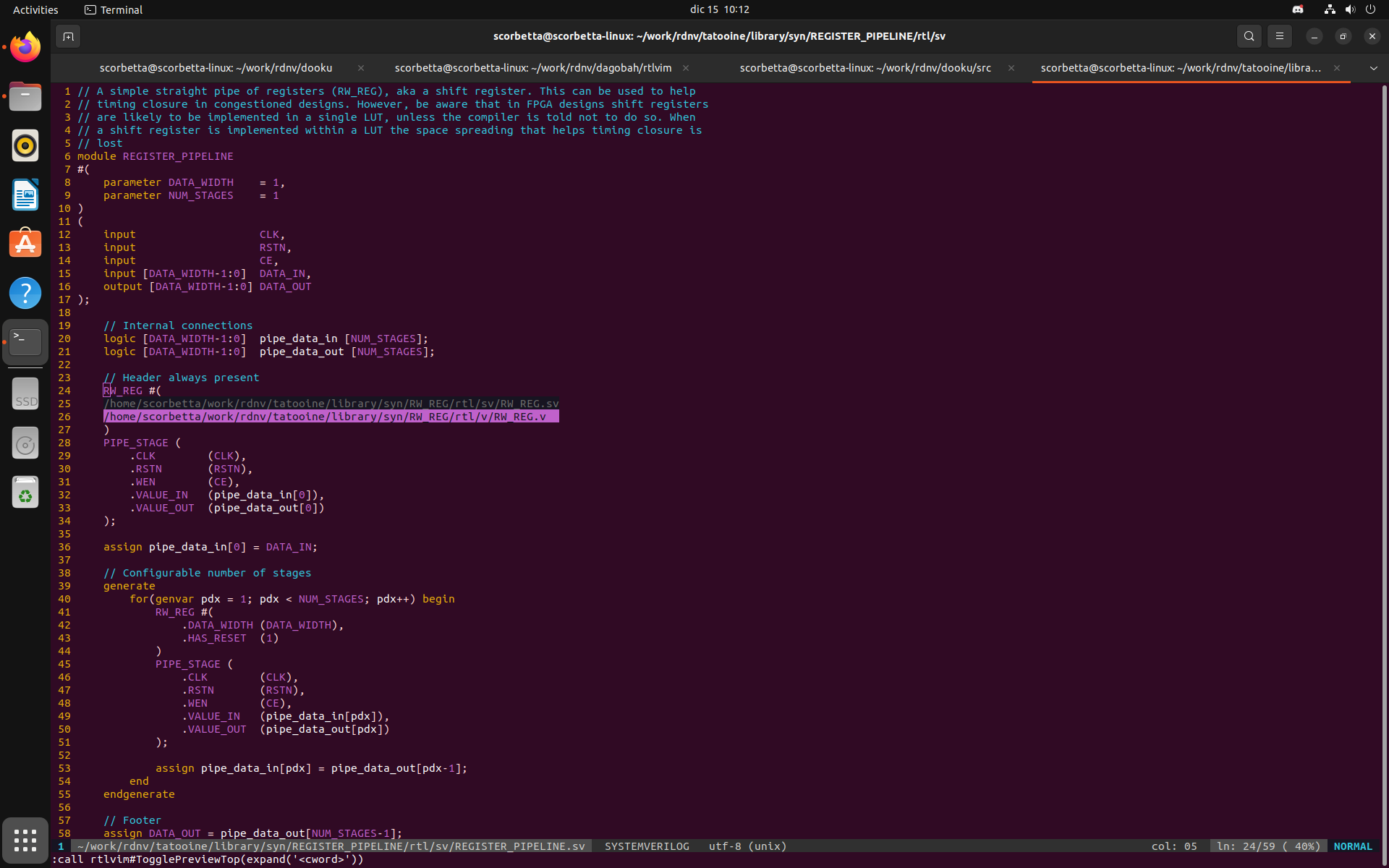
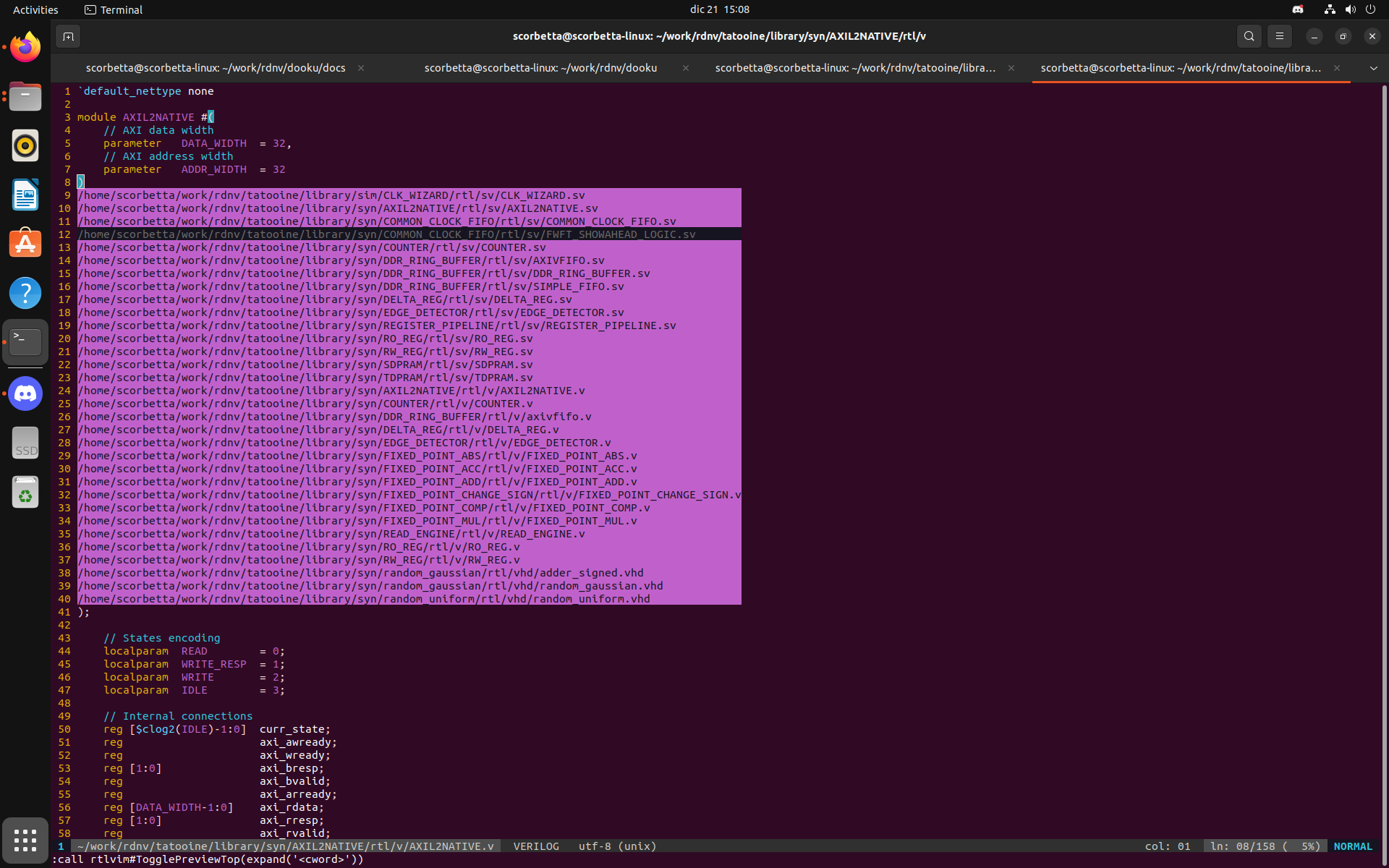
By pressing <F3> over a module known to dagobah, i.e. a module WORD for which a WORD.json
file exists in the tatooine library of components, an instance is created and copied into register
z for later use. At this point the plugin engine recognizes the target HDL language from the
extension of the file currently opened in the buffer. The instance can then be pasted under the
cursor with <F4>.
The following screenshots shows a new instance of RW_REG named RW_REG_0 is copied.
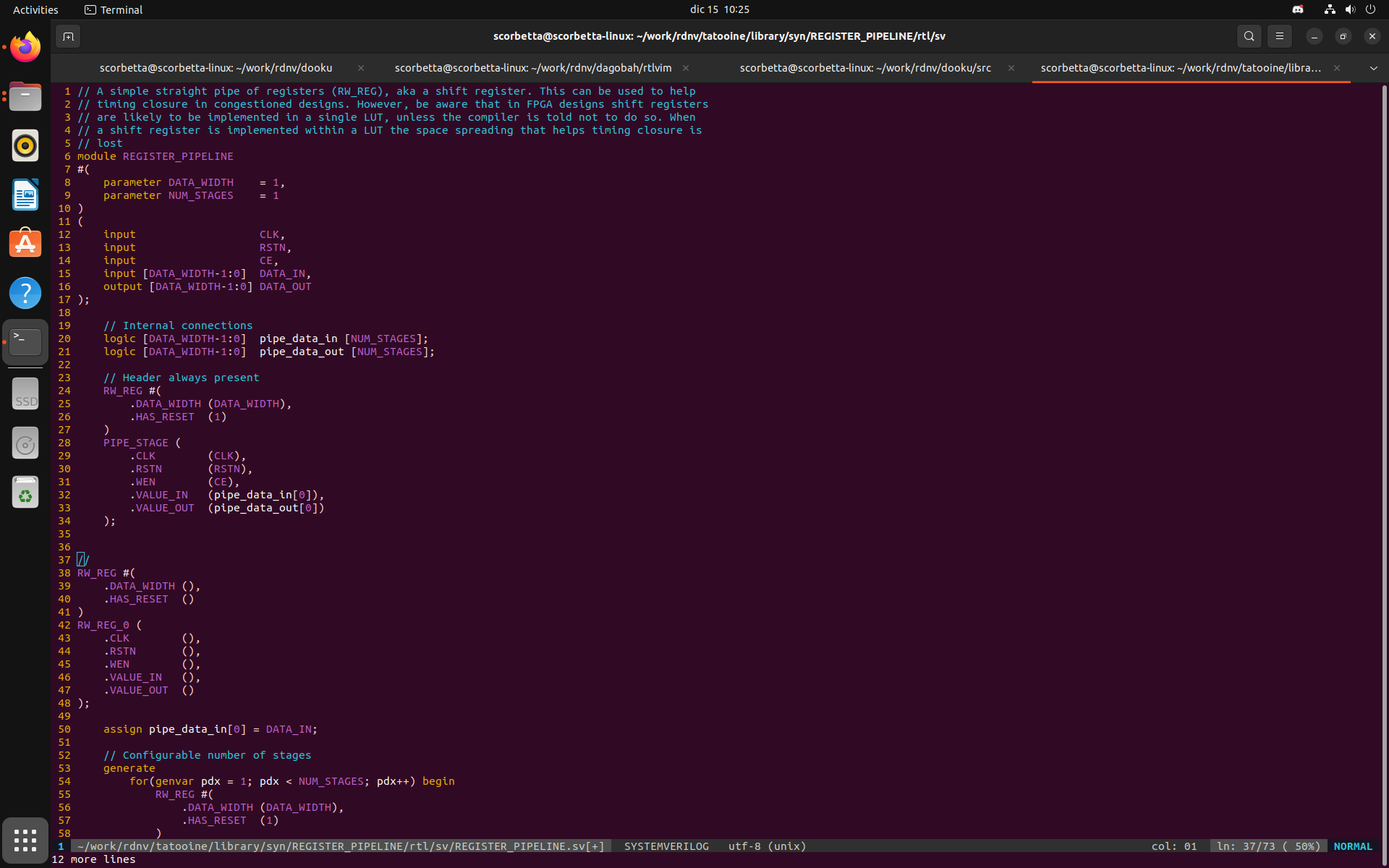
Please notice that if no WORD.json file is found, the z register is not overwritten. This
means that any hit on <F4> will paste the previous match, if any.